Your private space for life's thoughts and plans.
Diary, notes, tasks, contacts and expenses in one place. Private by default, and shared only when you choose.
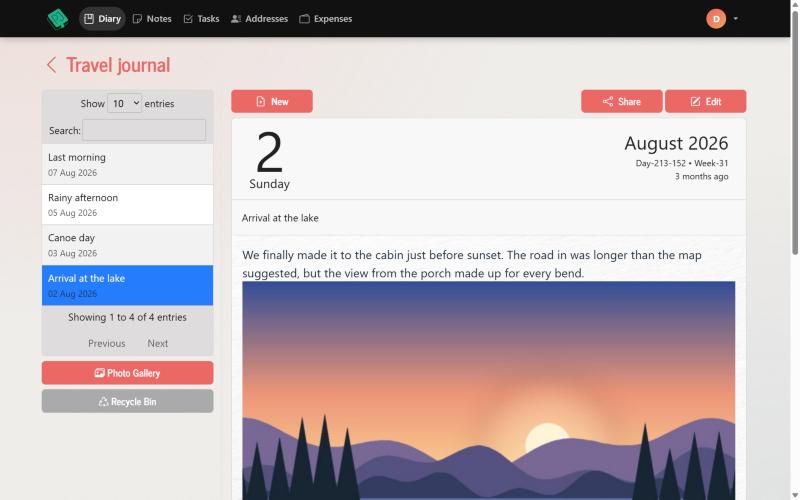
One private home for the things that matter to you
Six simple tools that work together, so you don't need a different app for each part of your life.
Diary
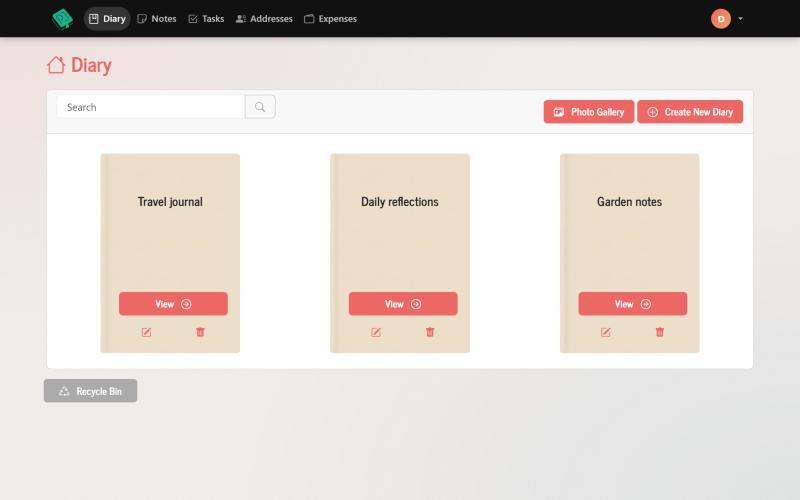
Write with a rich editor, add photos, organise entries into folders and search everything you've written.
Tasks
Plan on boards with table, kanban, calendar and "My week" views, with checklists, labels and email reminders.
Notes
Jot down ideas, lists and things to remember, and find them again in seconds.
Address book
Keep contacts in groups, all in one place, and export them to Excel whenever you need.
Expenses
Record what you spend, sort it into your own categories and see the totals at a glance.
Any device
Nothing to install. Use it in the browser on your phone, tablet or computer and pick up where you left off.
A diary that's always with you, and only for you
Capture your day, your ideas or your travels. Everything is saved online, so it's there on every device.
- Rich text and photos. Format your writing, add images and embed YouTube or Vimeo videos.
- Folders and search. Keep a separate journal for each part of your life and find any entry fast.
- Write by email. Each folder has its own private email address. Send an email and it becomes a diary entry.
- Share only if you want to. Send a single entry by email or create a link, and switch the link off whenever you like.
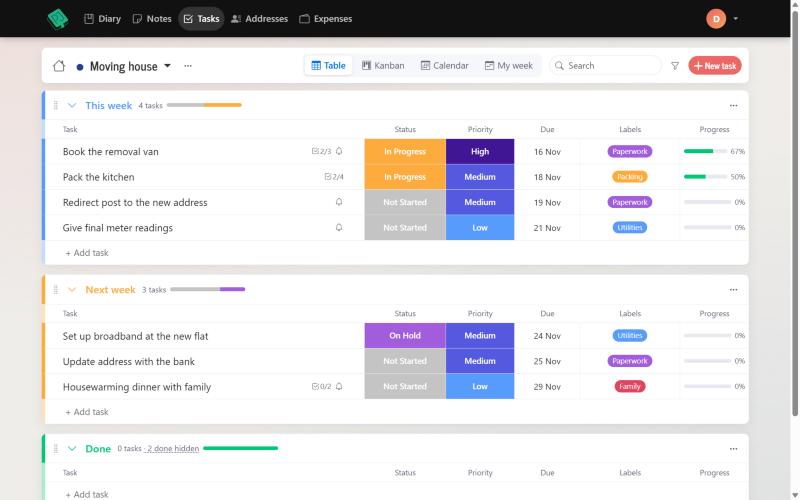
Plan your week without the overwhelm
Organise personal projects, chores and goals on boards, and see them in whichever way suits you.
- Four views. Switch between table, kanban, calendar and a "My week" view of what's due.
- Groups, labels and priorities. Arrange tasks the way you think, and drag them where they belong.
- Checklists and progress. Break big jobs into steps and watch the progress bar fill up.
- Email reminders. Get a reminder on the day, or 1, 3, 7, 14 or 30 days before a task is due.
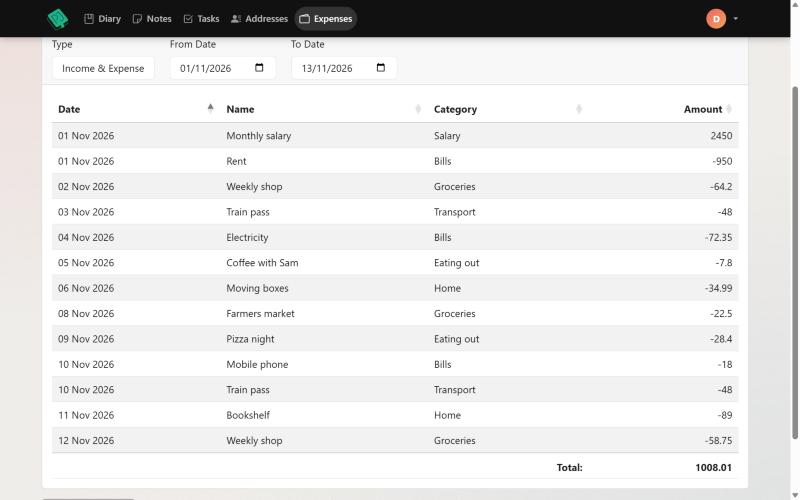
Contacts and spending, kept in order
The everyday details that are easy to lose, stored safely next to your diary.
- Address book with groups. Family, friends, work: keep phone numbers, emails and addresses tidy.
- Export to Excel. Take a copy of your contacts whenever you need one.
- Expense tracking. Log purchases and bills in your own categories and currency.
- Clear totals. See where your money goes without a complicated budgeting app.
Private by default
A journal only works if you can be honest in it. Your entries are yours, and nothing is shared unless you choose to share it.
Only you can see it
Your diary, notes and lists are tied to your account and shown to nobody else.
You decide what to share
Share one entry at a time by email or link, and turn a link off again in one click.
Secure sign-in
Everything travels over a secure HTTPS connection, and you can turn on two-factor sign-in.
No ads
No adverts in your journal, on the free plan or on Premium.
A safety net for mistakes
Deleted something by accident? Every module has a recycle bin that keeps items for 30 days.
Leave whenever you like
You can close your account from your settings, and all of your data is permanently erased.
Start free. Upgrade when you're ready.
The free plan has every module. Premium removes the limits.
Free
Everything you need to get started.
- All modules: diary, notes, tasks, address book and expenses
- Up to 40 items in each module
- Up to 3 task boards
- Write by email, sharing and email reminders
- No ads, no card needed
Premium
For everyone who journals and plans every day.
- Everything in Free
- Unlimited entries in every module
- Unlimited image uploads
- Unlimited task boards
- Cancel a subscription any time, or pay once for lifetime access
Prices are shown in your local currency where available. Payments are handled securely by Stripe. If you stop Premium, nothing is deleted: you keep every entry.
Get inspired
Short videos on how keeping a journal can help, and ways to make the most of it.
Create your own private journal
Using your journal for creative expression
Travel journaling: beyond photos
Journaling for mental health
Journaling to strengthen relationships
Questions people ask
Get in touch
A question, an idea or a problem? Send us a message and we'll get back to you by email.
You can also find us on Facebook.